 e4459208d2
- Added `trend_line` and `ray_line` to the Common Methods.

- Added the `toolbox` parameter to chart declaration. This allows horizontal lines, trend lines and rays to be drawn on the chart using hotkeys and buttons.
    - cmd-Z will delete the last drawing.
    - Drawings can be moved by clicking and dragging.

- Added the `render_drawings` parameter to `set`, which will keep and re-render the drawings displayed on the chart (useful for multiple timeframes!)

Horizontal Lines
- The `horizontal_line` method now returns a HorizontalLine object, containing the methods `update` and `delete`.
- Added the `interactive` parameter to `horizontal_line`, allowing for callbacks to be emitted to the `on_horizontal_line_move` callback method when the line is dragged to a new price (stop losses, limit orders, etc.).

Enhancements:
- added the `precision` method to the Common Methods, allowing for the number of decimal places shown on the price scale to be declared.
- Lines displayed on legends now have toggle switches, allowing for their visibility to be controlled directly within the chart window.
- when using `set`, the column names can now be capitalised, and the `date` column can be the index.

Changes:
- Merged the `title` method into the `price_line` method.
7.7 KiB
7.7 KiB
lightweight-charts-python




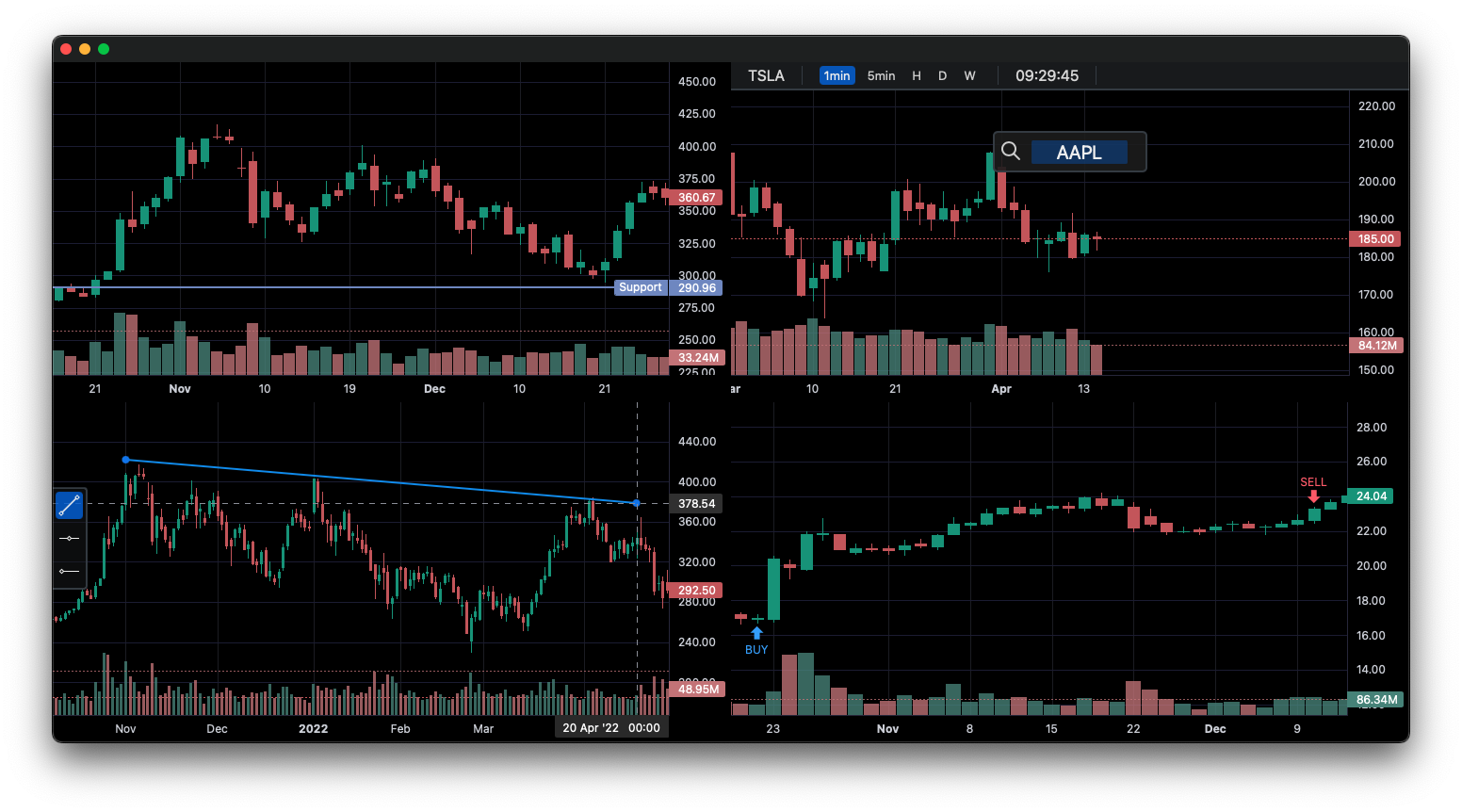
lightweight-charts-python aims to provide a simple and pythonic way to access and implement TradingView's Lightweight Charts.
Installation
pip install lightweight-charts
- White screen? Having issues with pywebview? Click here.
Features
- Simple and easy to use.
- Blocking or non-blocking GUI.
- Streamlined for live data, with methods for updating directly from tick data.
- Multi-Pane Charts using the
SubChart. - The Toolbox, allowing for trendlines, rays and horizontal lines to be drawn directly onto charts.
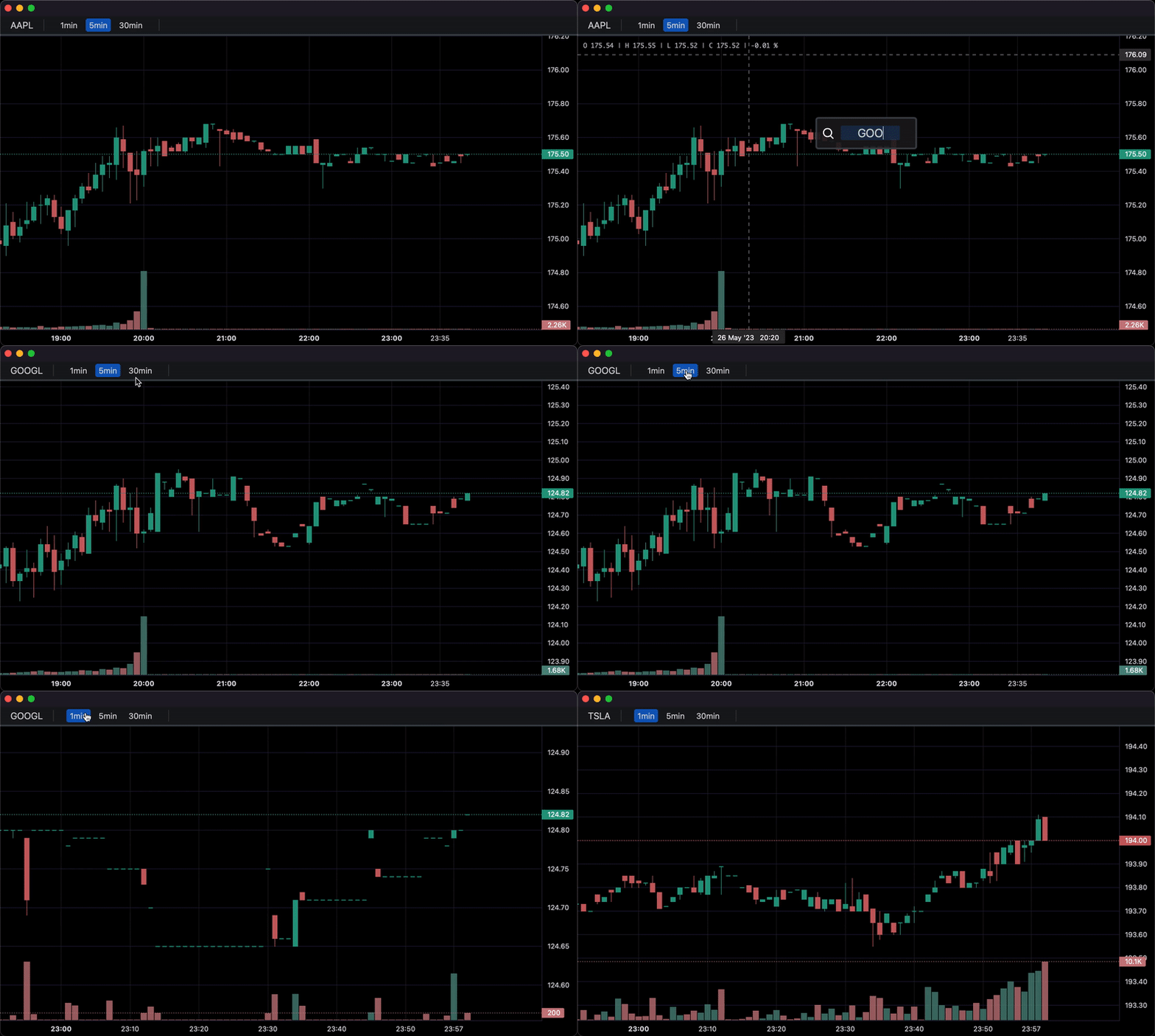
- Callbacks allowing for timeframe (1min, 5min, 30min etc.) selectors, searching, and more.
- Direct integration of market data through Polygon.io's market data API.
Supports: Jupyter Notebooks, PyQt, wxPython, Streamlit, and asyncio.
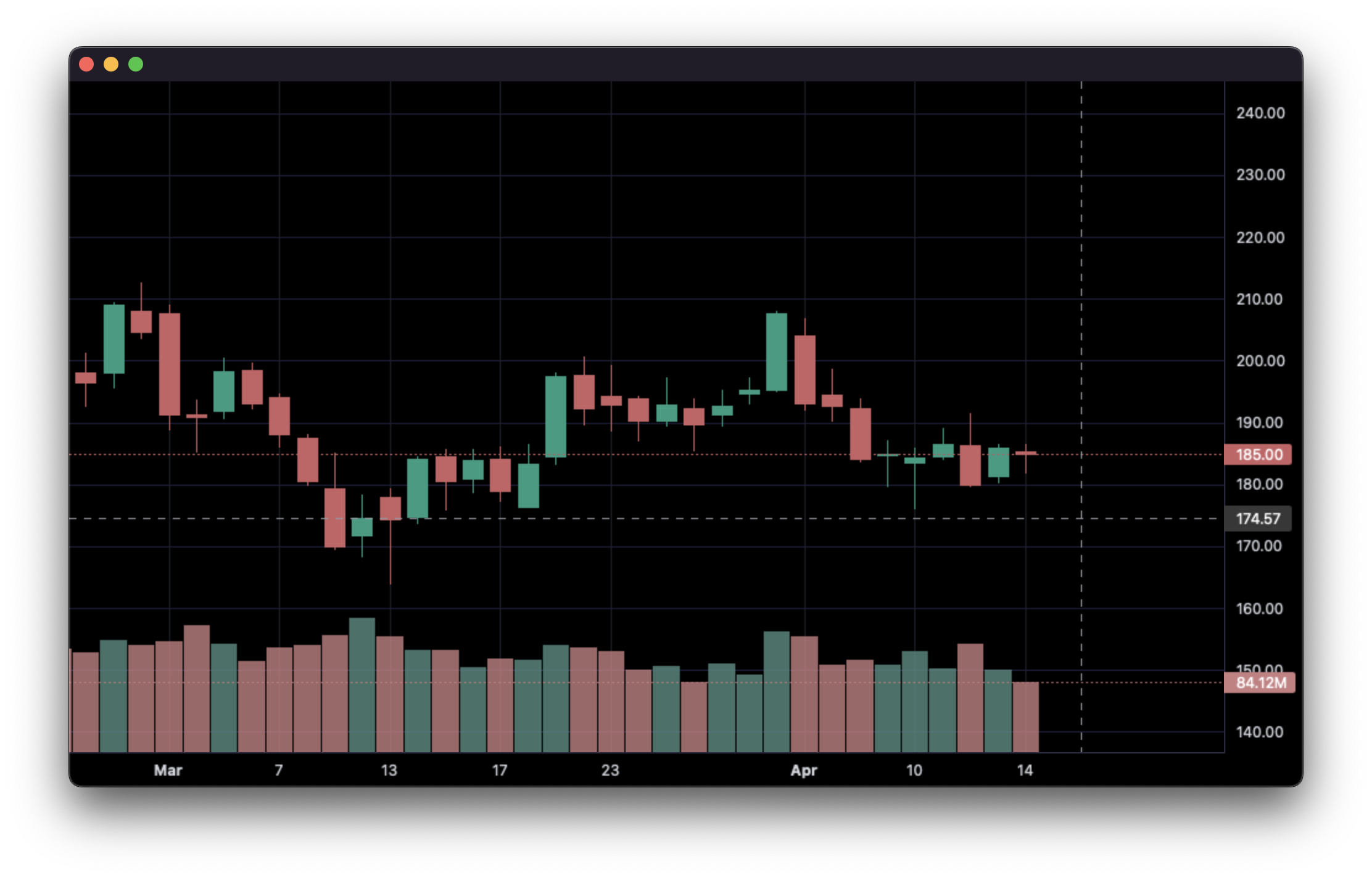
1. Display data from a csv:
import pandas as pd
from lightweight_charts import Chart


if __name__ == '__main__':

    chart = Chart()

    # Columns: | time | open | high | low | close | volume (if volume is enabled) |
    df = pd.read_csv('ohlcv.csv')
    chart.set(df)

    chart.show(block=True)
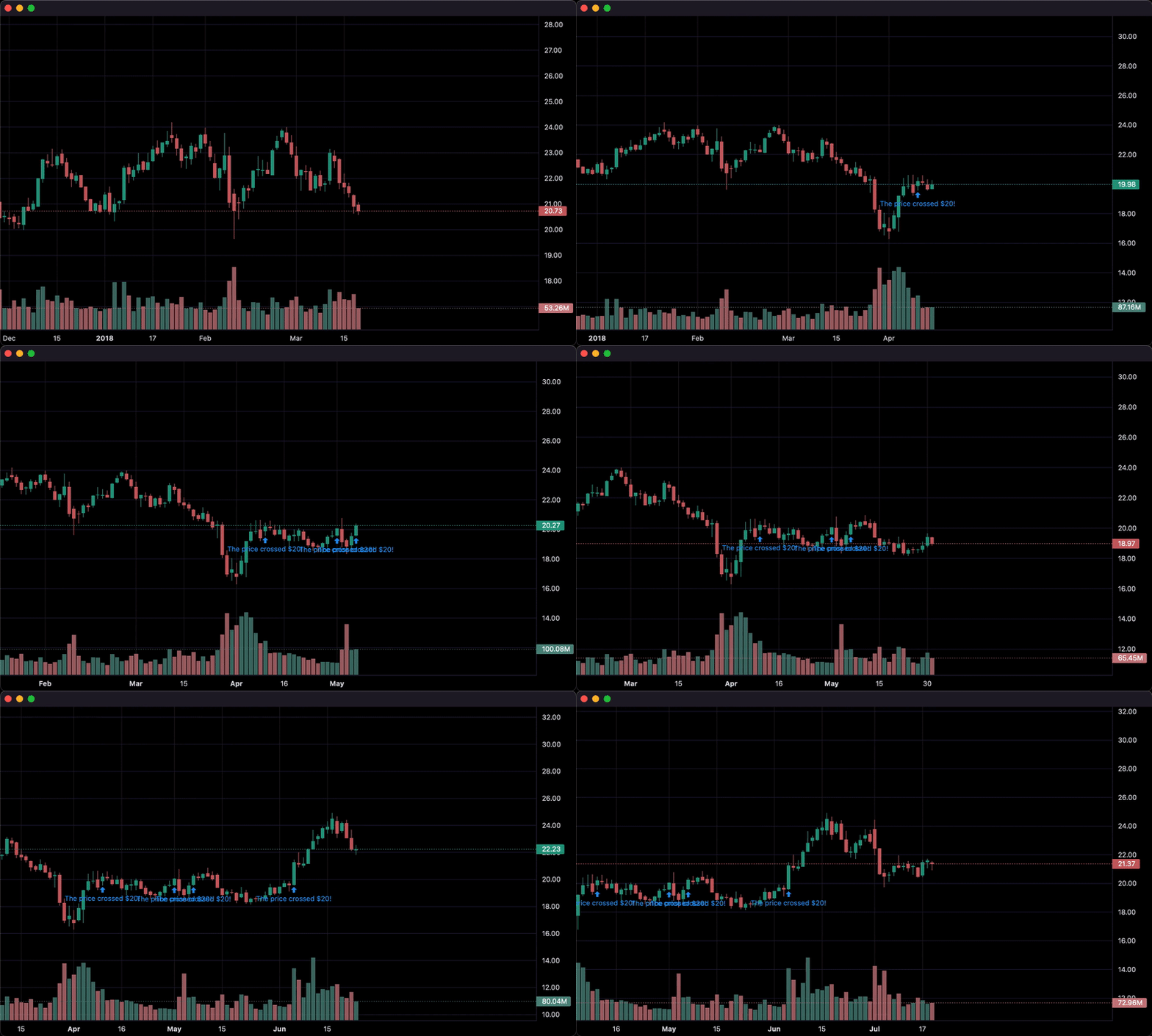
2. Updating bars in real-time:
import pandas as pd
from time import sleep
from lightweight_charts import Chart

if __name__ == '__main__':

    chart = Chart()

    df1 = pd.read_csv('ohlcv.csv')
    df2 = pd.read_csv('next_ohlcv.csv')

    chart.set(df1)

    chart.show()

    last_close = df1.iloc[-1]

    for i, series in df2.iterrows():
        chart.update(series)

        if series['close'] > 20 and last_close < 20:
            chart.marker(text='The price crossed $20!')

        last_close = series['close']
        sleep(0.1)
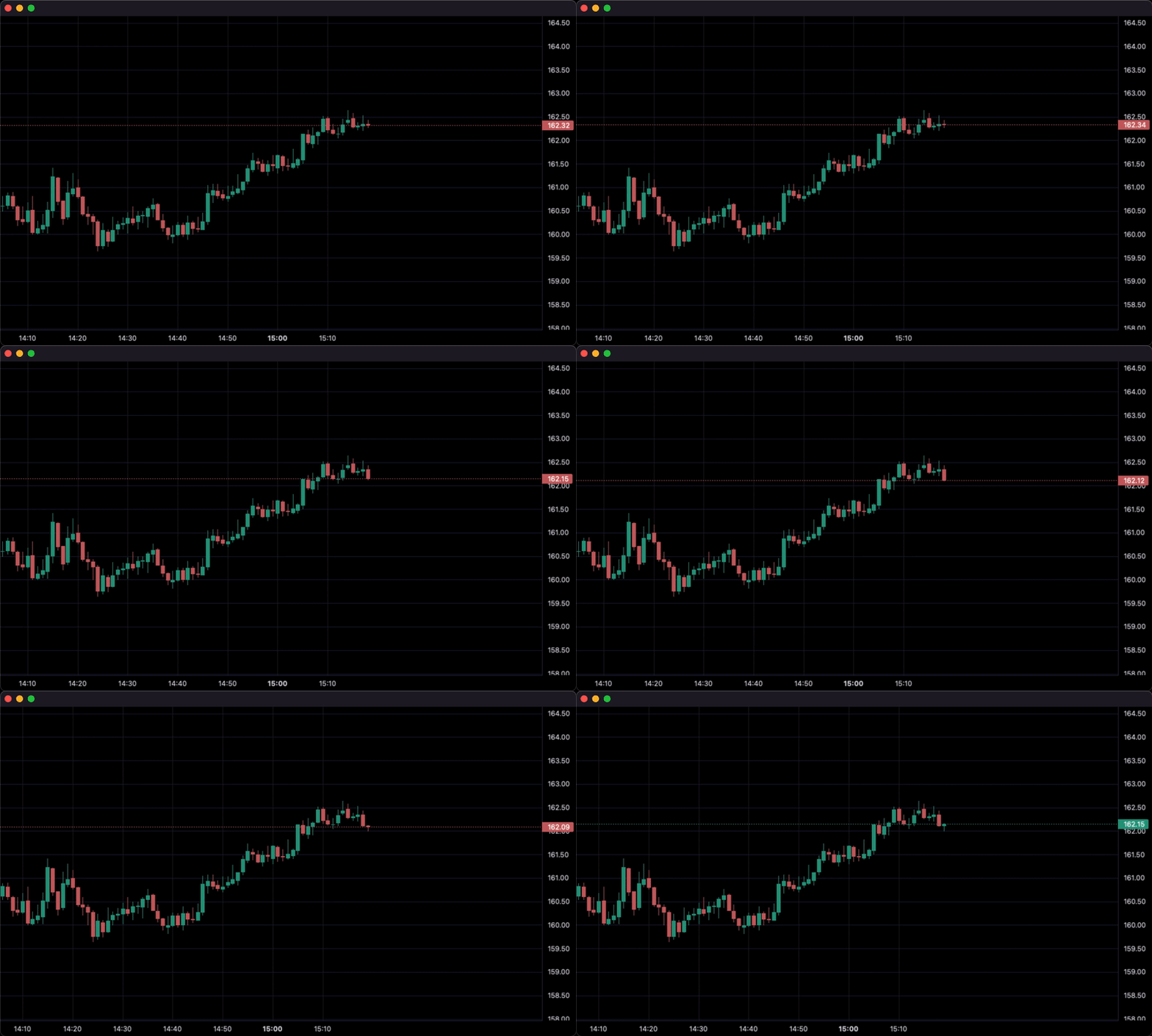
3. Updating bars from tick data in real-time:
import pandas as pd
from time import sleep
from lightweight_charts import Chart


if __name__ == '__main__':

    df1 = pd.read_csv('ohlc.csv')

    # Columns: | time | price | volume (if volume is enabled) |
    df2 = pd.read_csv('ticks.csv')

    chart = Chart(volume_enabled=False)

    chart.set(df1)

    chart.show()

    for i, tick in df2.iterrows():
        chart.update_from_tick(tick)

        sleep(0.3)
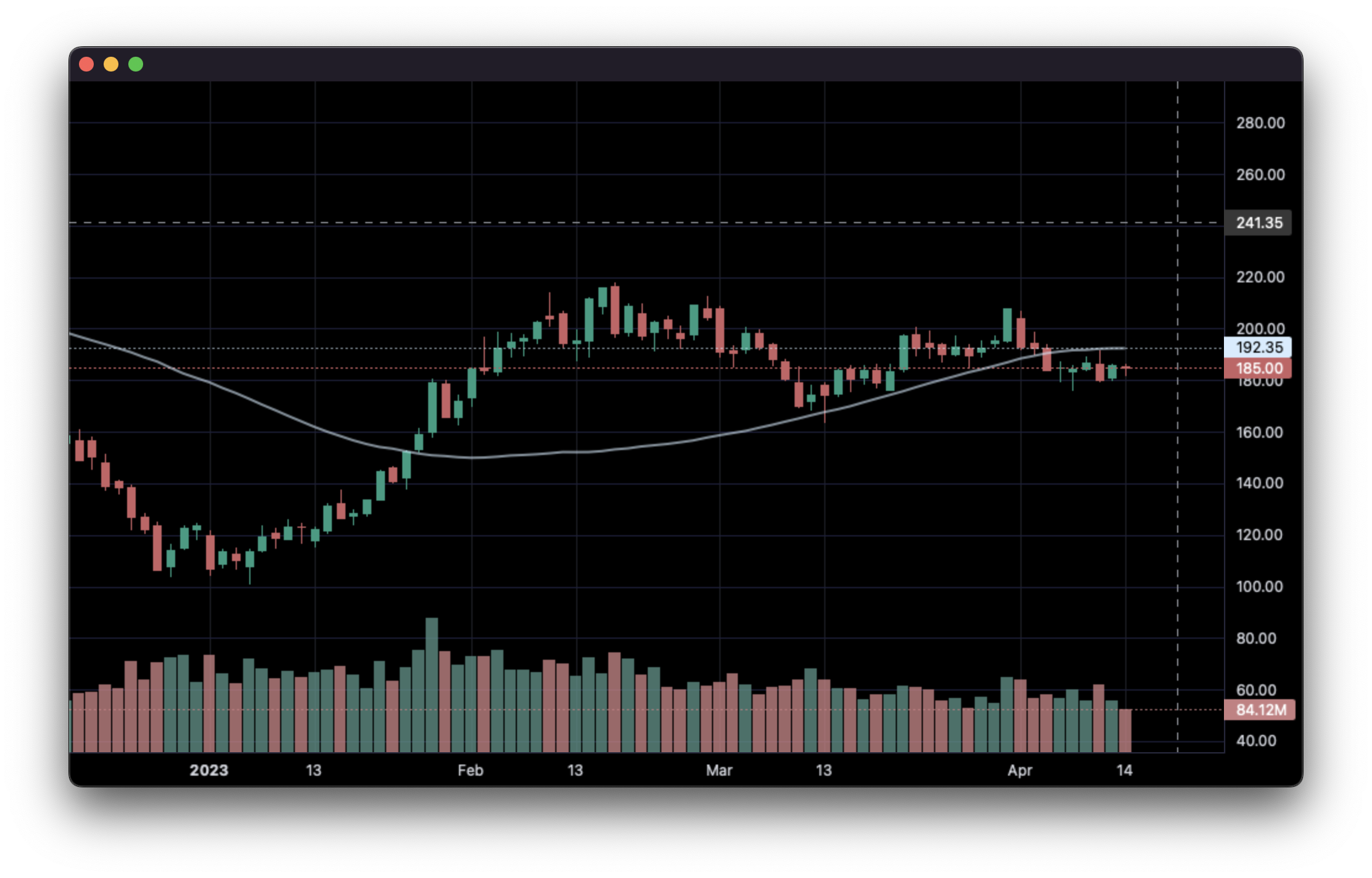
4. Line Indicators:
import pandas as pd
from lightweight_charts import Chart


def calculate_sma(data: pd.DataFrame, period: int = 50):
   def avg(d: pd.DataFrame):
      return d['close'].mean()

   result = []
   for i in range(period - 1, len(data)):
      val = avg(data.iloc[i - period + 1:i])
      result.append({'time': data.iloc[i]['date'], f'SMA {period}': val})
   return pd.DataFrame(result)


if __name__ == '__main__':
   chart = Chart()
   chart.legend(visible=True)

   df = pd.read_csv('ohlcv.csv')
   chart.set(df)

   line = chart.create_line()
   sma_data = calculate_sma(df, period=50)
   line.set(sma_data, name='SMA 50')

   chart.show(block=True)
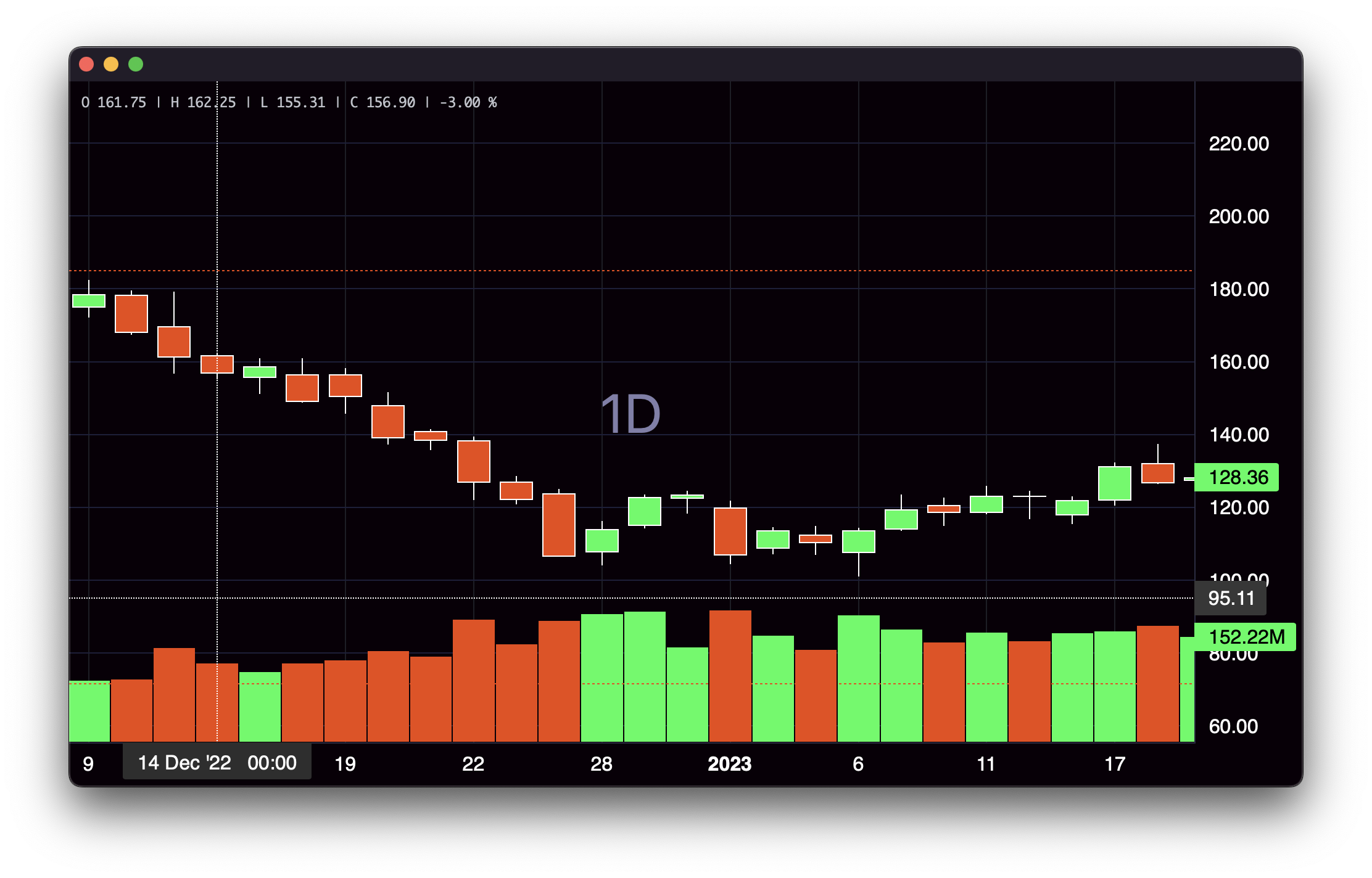
5. Styling:
import pandas as pd
from lightweight_charts import Chart


if __name__ == '__main__':

    chart = Chart(debug=True)

    df = pd.read_csv('ohlcv.csv')

    chart.layout(background_color='#090008', text_color='#FFFFFF', font_size=16,
                 font_family='Helvetica')

    chart.candle_style(up_color='#00ff55', down_color='#ed4807',
                       border_up_color='#FFFFFF', border_down_color='#FFFFFF',
                       wick_up_color='#FFFFFF', wick_down_color='#FFFFFF')

    chart.volume_config(up_color='#00ff55', down_color='#ed4807')

    chart.watermark('1D', color='rgba(180, 180, 240, 0.7)')

    chart.crosshair(mode='normal', vert_color='#FFFFFF', vert_style='dotted',
                    horz_color='#FFFFFF', horz_style='dotted')

    chart.legend(visible=True, font_size=14)

    chart.set(df)

    chart.show(block=True)
6. Callbacks:
import asyncio
import pandas as pd

from lightweight_charts import Chart


def get_bar_data(symbol, timeframe):
    if symbol not in ('AAPL', 'GOOGL', 'TSLA'):
        print(f'No data for "{symbol}"')
        return pd.DataFrame()
    return pd.read_csv(f'bar_data/{symbol}_{timeframe}.csv')


class API:
    def __init__(self):
        self.chart = None  # Changes after each callback.

    async def on_search(self, searched_string):  # Called when the user searches.
        new_data = get_bar_data(searched_string, self.chart.topbar['timeframe'].value)
        if new_data.empty:
            return
        self.chart.topbar['corner'].set(searched_string)
        self.chart.set(new_data)

    async def on_timeframe_selection(self):  # Called when the user changes the timeframe.
        new_data = get_bar_data(self.chart.topbar['corner'].value, self.chart.topbar['timeframe'].value)
        if new_data.empty:
            return
        self.chart.set(new_data)

    async def on_horizontal_line_move(self, line_id, price):
        print(f'Horizontal line moved to: {price}')


async def main():
    api = API()

    chart = Chart(api=api, topbar=True, searchbox=True, toolbox=True)
    chart.legend(True)

    chart.topbar.textbox('corner', 'TSLA')
    chart.topbar.switcher('timeframe', api.on_timeframe_selection, '1min', '5min', '30min', default='5min')

    df = get_bar_data('TSLA', '5min')
    chart.set(df)

    chart.horizontal_line(200, interactive=True)

    await chart.show_async(block=True)


if __name__ == '__main__':
    asyncio.run(main())
Inquiries: shaders_worker_0e@icloud.com
This package is an independent creation and has not been endorsed, sponsored, or approved by TradingView. The author of this package does not have any official relationship with TradingView, and the package does not represent the views or opinions of TradingView.