
302 lines
9.1 KiB
Markdown
302 lines
9.1 KiB
Markdown
Fork of lightweight-charts with enhancements and supporting proprietary workflow
|
|
* colored legends
|
|
* automatic colors if not provided
|
|
* support for left price scale
|
|
* supports series in df,pd.series or vectorbt indicator object
|
|
* new markers_set method allowing to set pd.series or dataframe as markers input
|
|
* allows vbt indicators as input for set() method (extracting real values series from that)
|
|
|
|
<img width="1005" alt="image" src="https://github.com/drew2323/lightweight-charts-python/assets/28433232/856c32aa-e0ff-4de0-b4a2-befc34adb571">
|
|
|
|
## Examples
|
|
|
|
```python
|
|
from lightweight_charts import chart, Panel
|
|
|
|
# Example usage
|
|
pane1 = Panel(
|
|
ohlcv=(t1data.data["BAC"],), #(series, entries, exits, other_markers)
|
|
histogram=[(order_imbalance_allvolume, "oivol",None, 0.3)], # [(series, name, "rgba(53, 94, 59, 0.6)", opacity)]
|
|
|
|
#following attributes assign lineseries series to different priceScaleIds, format: # [(series, name, entries, exits, other_markers)]
|
|
right=[(bbands)], #multioutput indicator, outputs are autom.extracted
|
|
left=[(sma, "sma", short_signals, short_exits) #simple vbt indicator with markers in and outs
|
|
(supertrend.trend, "ST_trend") #explicitly just one output of multioutput indicator
|
|
],
|
|
middle1=[],
|
|
middle2=[],
|
|
)
|
|
|
|
pane2 = Panel(
|
|
ohlcv=(t1data.data["BAC"],),
|
|
right=[],
|
|
left=[(sma, "sma_below", short_signals, short_exits)],
|
|
middle1=[],
|
|
middle2=[],
|
|
histogram=[(order_imbalance_sma, "oisma")],
|
|
)
|
|
|
|
ch = chart([pane1, pane2], sync=True, title="Title", size)
|
|
|
|
#quick few liner
|
|
pane1 = Panel(
|
|
right=[(close, "close")],
|
|
)
|
|
ch = chart([pane1])
|
|
|
|
#one liner
|
|
close.lw.plot()
|
|
|
|
```
|
|
|
|
<div align="center">
|
|
|
|
# lightweight-charts-python
|
|
|
|
[](https://pypi.org/project/lightweight-charts/)
|
|
[](https://python.org "Go to Python homepage")
|
|
[](https://github.com/louisnw01/lightweight-charts-python/blob/main/LICENSE)
|
|
[](https://lightweight-charts-python.readthedocs.io/en/latest/index.html)
|
|
|
|
|
|
|
|
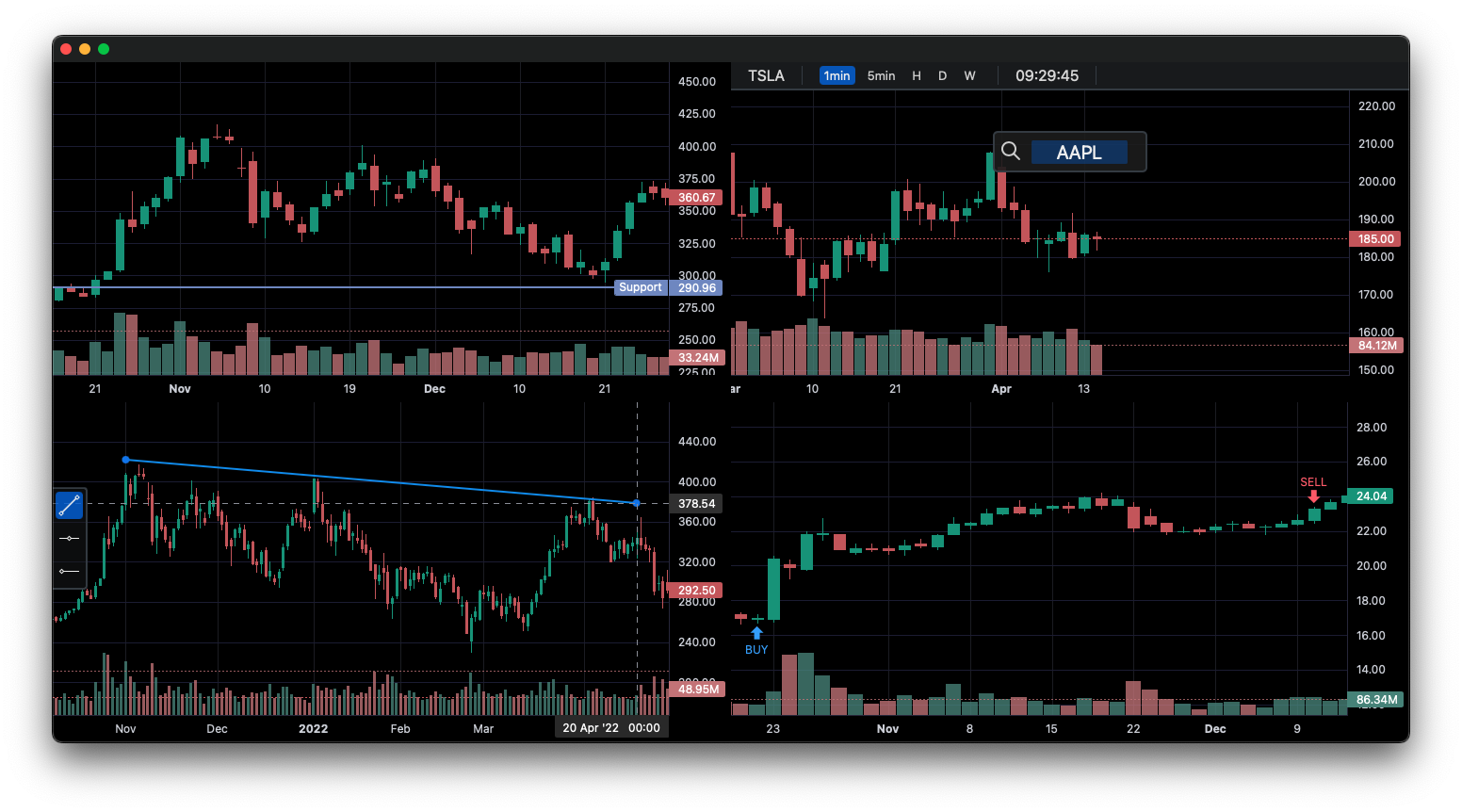
lightweight-charts-python aims to provide a simple and pythonic way to access and implement [TradingView's Lightweight Charts](https://www.tradingview.com/lightweight-charts/).
|
|
</div>
|
|
|
|
|
|
## Installation
|
|
```
|
|
pip install lightweight-charts
|
|
```
|
|
___
|
|
|
|
## Features
|
|
1. Streamlined for live data, with methods for updating directly from tick data.
|
|
2. Multi-pane charts using [Subcharts](https://lightweight-charts-python.readthedocs.io/en/latest/reference/abstract_chart.html#AbstractChart.create_subchart).
|
|
3. The [Toolbox](https://lightweight-charts-python.readthedocs.io/en/latest/reference/toolbox.html), allowing for trendlines, rectangles, rays and horizontal lines to be drawn directly onto charts.
|
|
4. [Events](https://lightweight-charts-python.readthedocs.io/en/latest/tutorials/events.html) allowing for timeframe selectors (1min, 5min, 30min etc.), searching, hotkeys, and more.
|
|
5. [Tables](https://lightweight-charts-python.readthedocs.io/en/latest/reference/tables.html) for watchlists, order entry, and trade management.
|
|
6. Direct integration of market data through [Polygon.io's](https://polygon.io/?utm_source=affiliate&utm_campaign=pythonlwcharts) market data API.
|
|
|
|
__Supports:__ Jupyter Notebooks, PyQt6, PyQt5, PySide6, wxPython, Streamlit, and asyncio.
|
|
|
|
PartTimeLarry: [Interactive Brokers API and TradingView Charts in Python](https://www.youtube.com/watch?v=TlhDI3PforA)
|
|
___
|
|
|
|
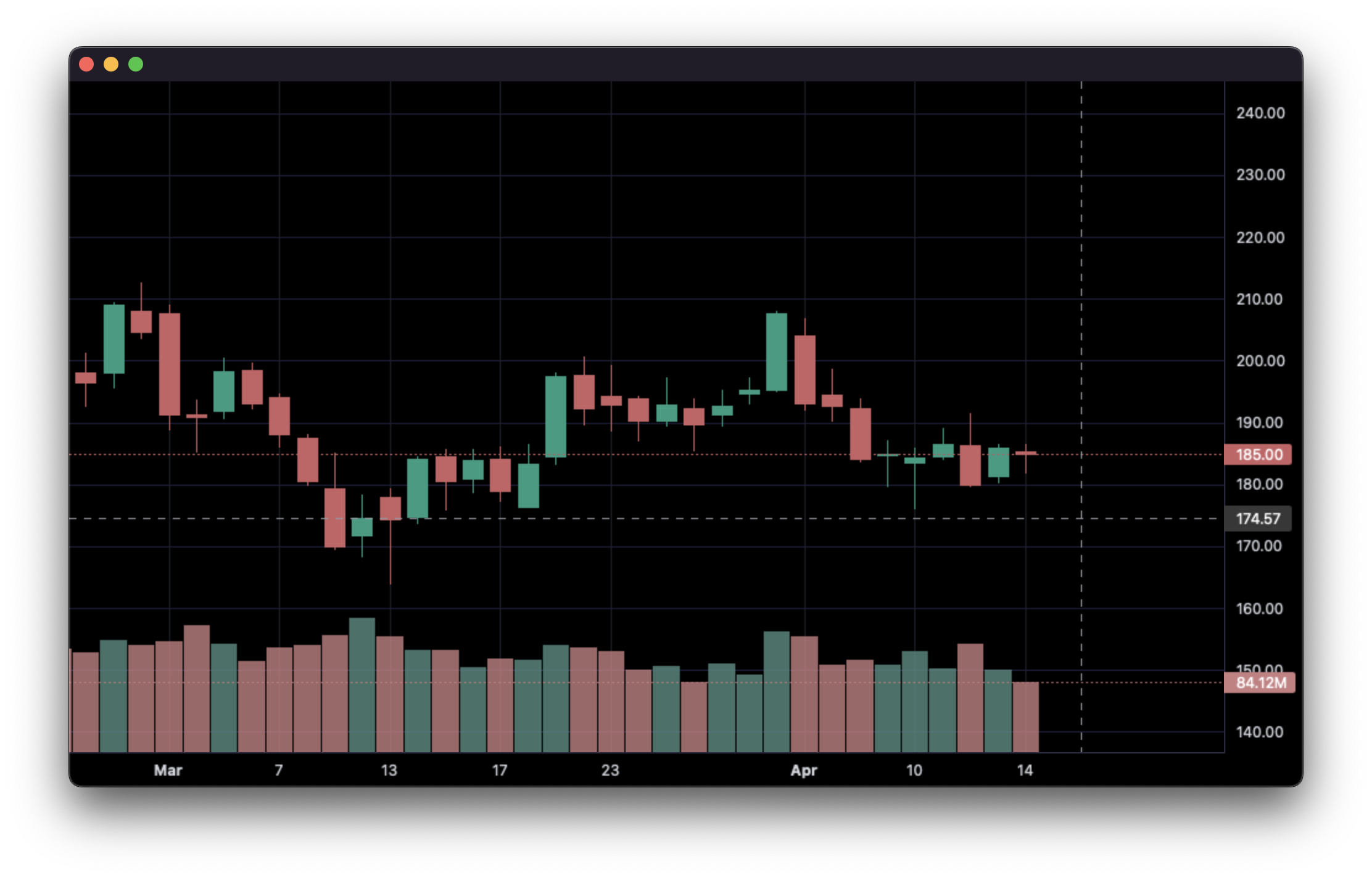
### 1. Display data from a csv:
|
|
|
|
```python
|
|
import pandas as pd
|
|
from lightweight_charts import Chart
|
|
|
|
|
|
if __name__ == '__main__':
|
|
|
|
chart = Chart()
|
|
|
|
# Columns: time | open | high | low | close | volume
|
|
df = pd.read_csv('ohlcv.csv')
|
|
chart.set(df)
|
|
|
|
chart.show(block=True)
|
|
|
|
```
|
|
|
|
___
|
|
|
|
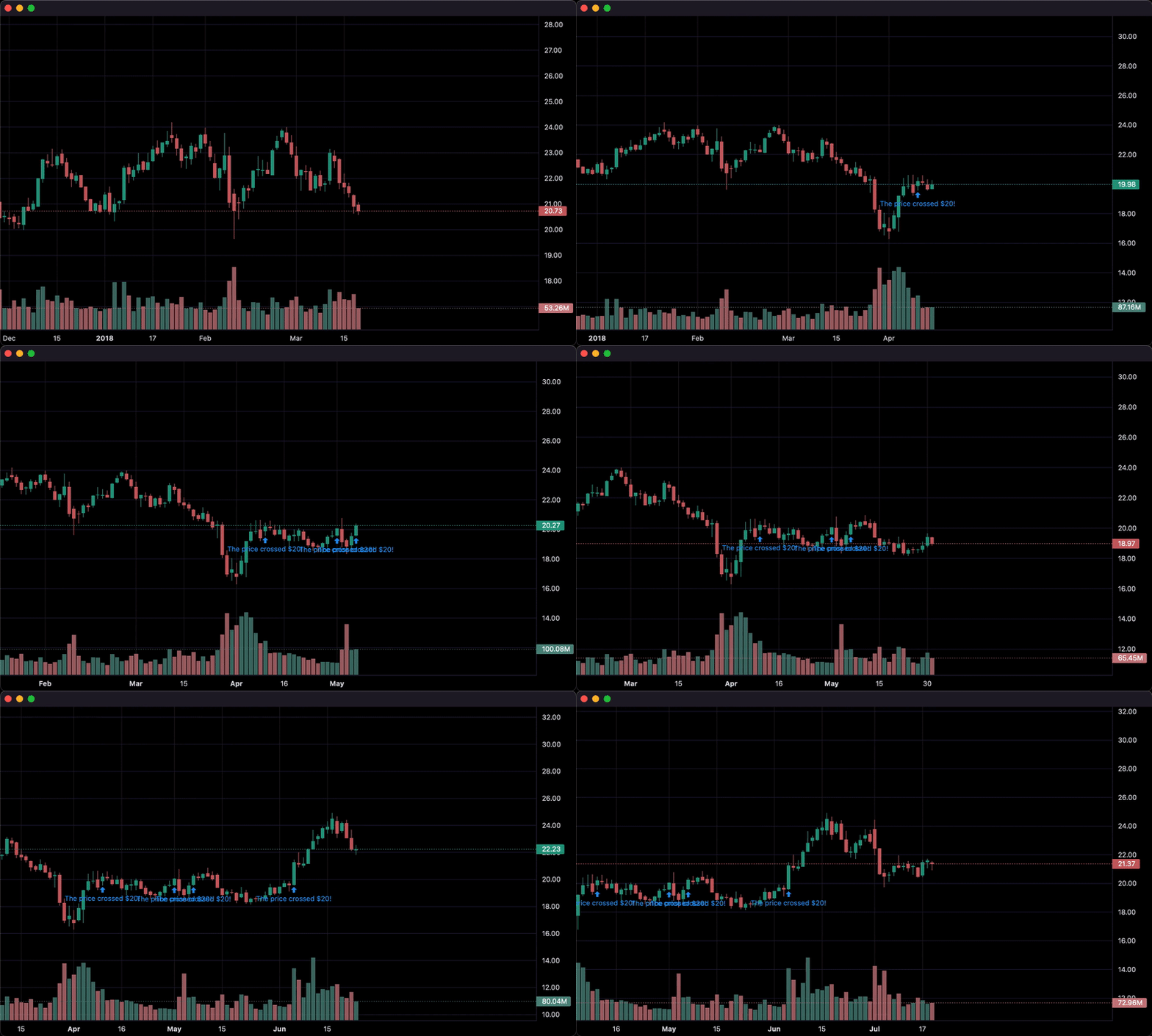
### 2. Updating bars in real-time:
|
|
|
|
```python
|
|
import pandas as pd
|
|
from time import sleep
|
|
from lightweight_charts import Chart
|
|
|
|
if __name__ == '__main__':
|
|
|
|
chart = Chart()
|
|
|
|
df1 = pd.read_csv('ohlcv.csv')
|
|
df2 = pd.read_csv('next_ohlcv.csv')
|
|
|
|
chart.set(df1)
|
|
|
|
chart.show()
|
|
|
|
last_close = df1.iloc[-1]['close']
|
|
|
|
for i, series in df2.iterrows():
|
|
chart.update(series)
|
|
|
|
if series['close'] > 20 and last_close < 20:
|
|
chart.marker(text='The price crossed $20!')
|
|
|
|
last_close = series['close']
|
|
sleep(0.1)
|
|
|
|
```
|
|
|
|
|
|
___
|
|
|
|
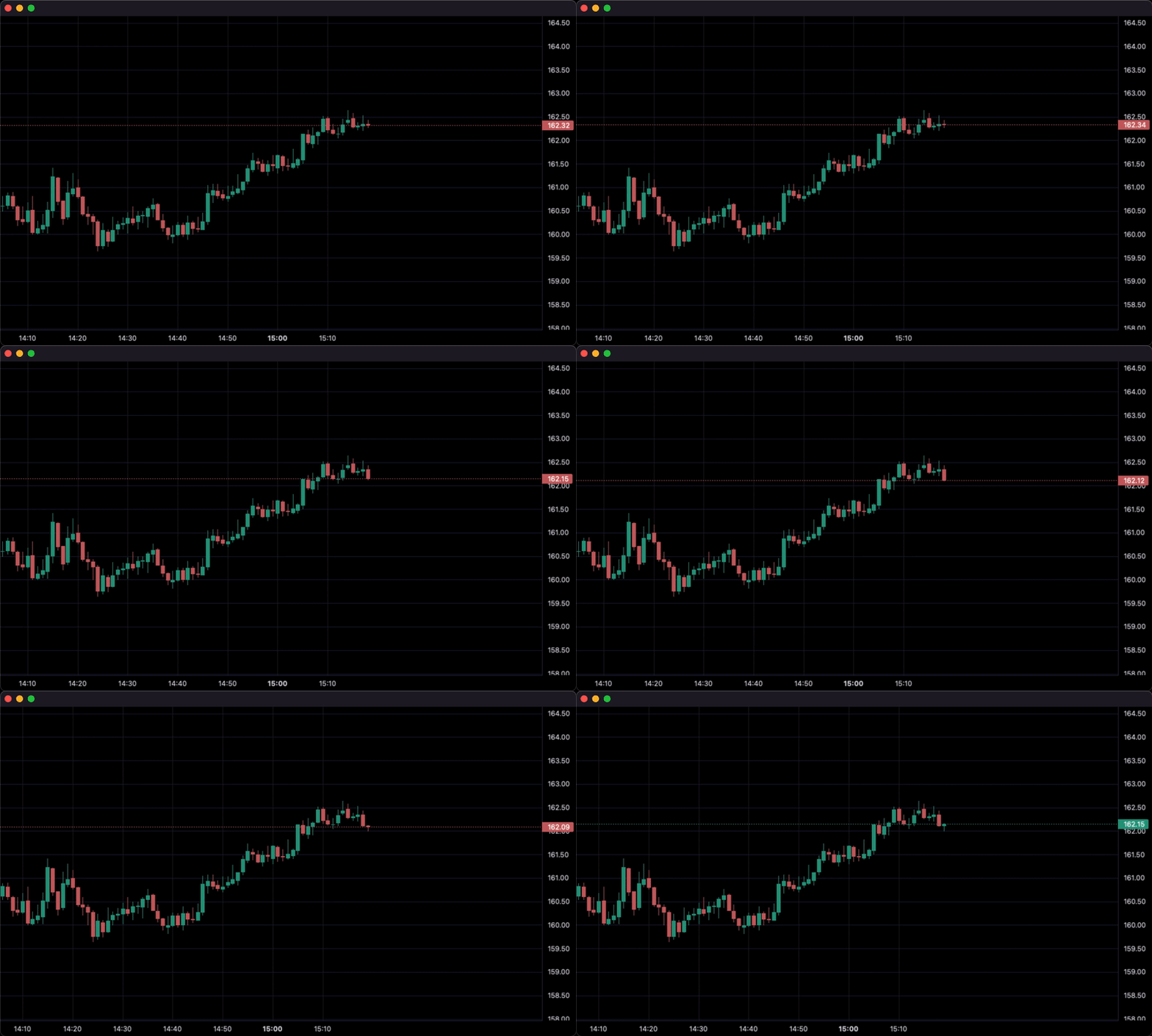
### 3. Updating bars from tick data in real-time:
|
|
|
|
```python
|
|
import pandas as pd
|
|
from time import sleep
|
|
from lightweight_charts import Chart
|
|
|
|
|
|
if __name__ == '__main__':
|
|
|
|
df1 = pd.read_csv('ohlc.csv')
|
|
|
|
# Columns: time | price
|
|
df2 = pd.read_csv('ticks.csv')
|
|
|
|
chart = Chart()
|
|
|
|
chart.set(df1)
|
|
|
|
chart.show()
|
|
|
|
for i, tick in df2.iterrows():
|
|
chart.update_from_tick(tick)
|
|
|
|
sleep(0.03)
|
|
|
|
```
|
|
|
|
___
|
|
|
|
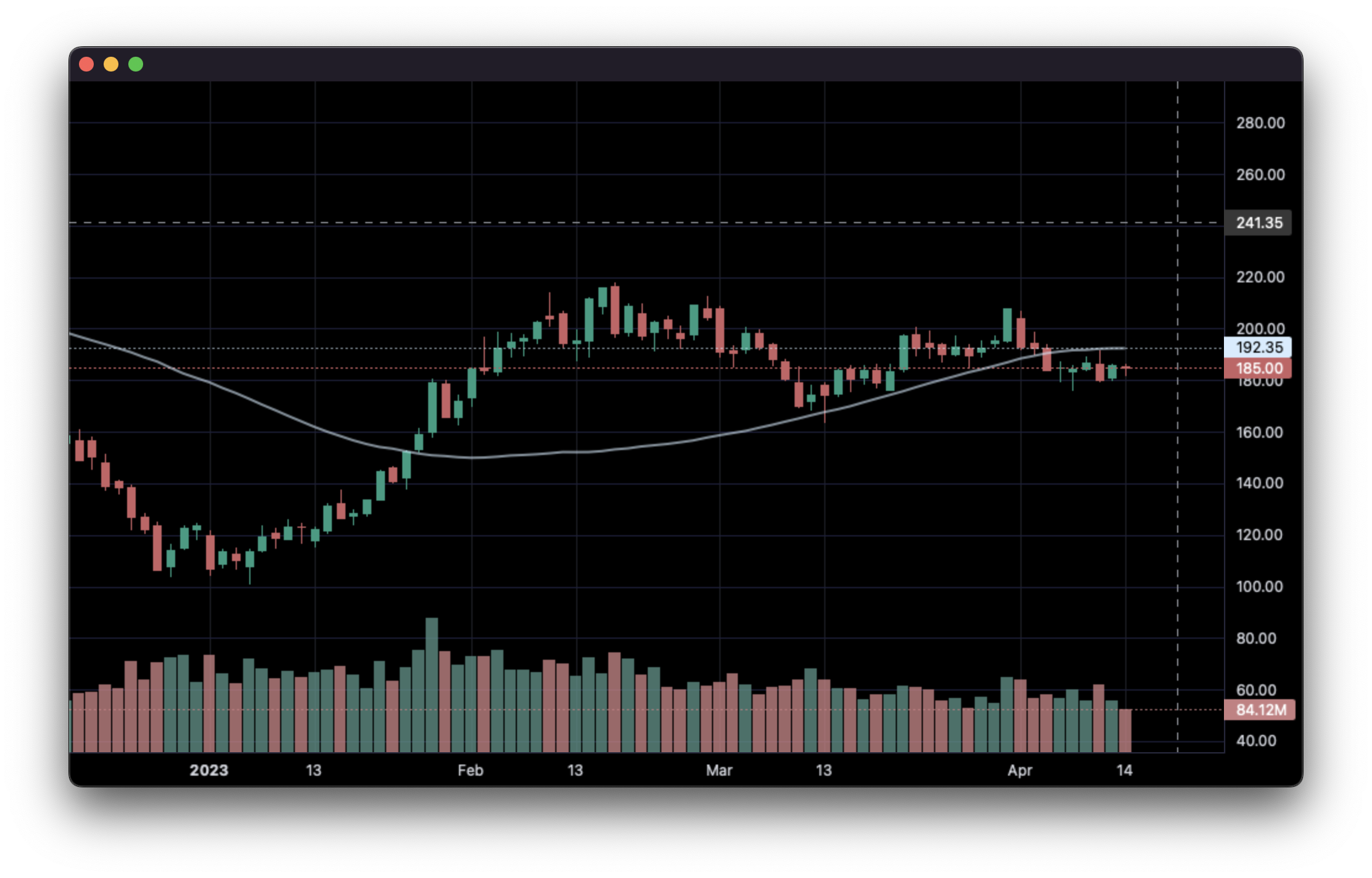
### 4. Line Indicators:
|
|
|
|
```python
|
|
import pandas as pd
|
|
from lightweight_charts import Chart
|
|
|
|
|
|
def calculate_sma(df, period: int = 50):
|
|
return pd.DataFrame({
|
|
'time': df['date'],
|
|
f'SMA {period}': df['close'].rolling(window=period).mean()
|
|
}).dropna()
|
|
|
|
|
|
if __name__ == '__main__':
|
|
chart = Chart()
|
|
chart.legend(visible=True)
|
|
|
|
df = pd.read_csv('ohlcv.csv')
|
|
chart.set(df)
|
|
|
|
line = chart.create_line('SMA 50')
|
|
sma_data = calculate_sma(df, period=50)
|
|
line.set(sma_data)
|
|
|
|
chart.show(block=True)
|
|
|
|
```
|
|
|
|
___
|
|
|
|
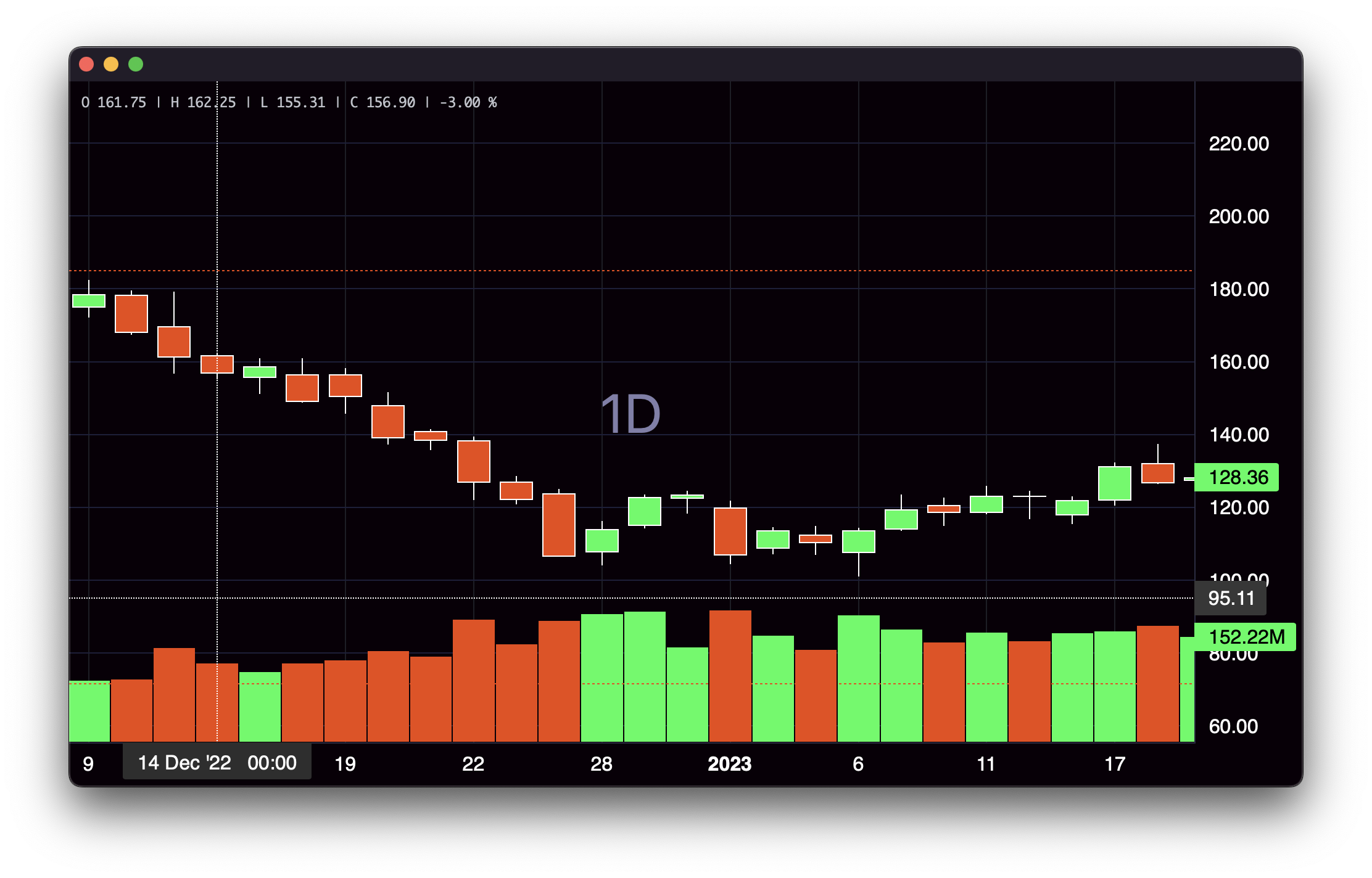
### 5. Styling:
|
|
|
|
```python
|
|
import pandas as pd
|
|
from lightweight_charts import Chart
|
|
|
|
|
|
if __name__ == '__main__':
|
|
|
|
chart = Chart()
|
|
|
|
df = pd.read_csv('ohlcv.csv')
|
|
|
|
chart.layout(background_color='#090008', text_color='#FFFFFF', font_size=16,
|
|
font_family='Helvetica')
|
|
|
|
chart.candle_style(up_color='#00ff55', down_color='#ed4807',
|
|
border_up_color='#FFFFFF', border_down_color='#FFFFFF',
|
|
wick_up_color='#FFFFFF', wick_down_color='#FFFFFF')
|
|
|
|
chart.volume_config(up_color='#00ff55', down_color='#ed4807')
|
|
|
|
chart.watermark('1D', color='rgba(180, 180, 240, 0.7)')
|
|
|
|
chart.crosshair(mode='normal', vert_color='#FFFFFF', vert_style='dotted',
|
|
horz_color='#FFFFFF', horz_style='dotted')
|
|
|
|
chart.legend(visible=True, font_size=14)
|
|
|
|
chart.set(df)
|
|
|
|
chart.show(block=True)
|
|
|
|
```
|
|
|
|
___
|
|
|
|
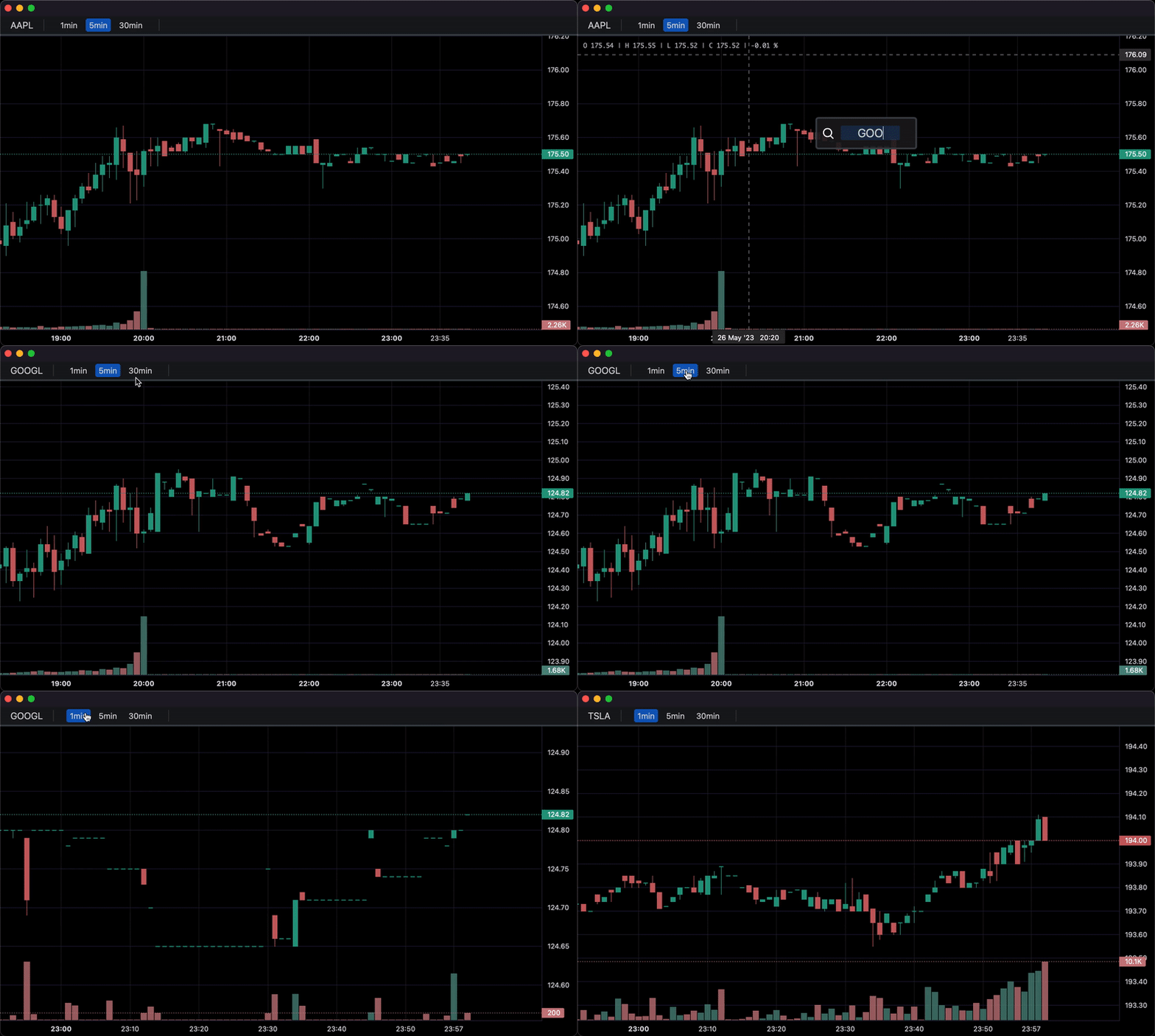
### 6. Callbacks:
|
|
|
|
```python
|
|
import pandas as pd
|
|
from lightweight_charts import Chart
|
|
|
|
|
|
def get_bar_data(symbol, timeframe):
|
|
if symbol not in ('AAPL', 'GOOGL', 'TSLA'):
|
|
print(f'No data for "{symbol}"')
|
|
return pd.DataFrame()
|
|
return pd.read_csv(f'bar_data/{symbol}_{timeframe}.csv')
|
|
|
|
|
|
def on_search(chart, searched_string): # Called when the user searches.
|
|
new_data = get_bar_data(searched_string, chart.topbar['timeframe'].value)
|
|
if new_data.empty:
|
|
return
|
|
chart.topbar['symbol'].set(searched_string)
|
|
chart.set(new_data)
|
|
|
|
|
|
def on_timeframe_selection(chart): # Called when the user changes the timeframe.
|
|
new_data = get_bar_data(chart.topbar['symbol'].value, chart.topbar['timeframe'].value)
|
|
if new_data.empty:
|
|
return
|
|
chart.set(new_data, True)
|
|
|
|
|
|
def on_horizontal_line_move(chart, line):
|
|
print(f'Horizontal line moved to: {line.price}')
|
|
|
|
|
|
if __name__ == '__main__':
|
|
chart = Chart(toolbox=True)
|
|
chart.legend(True)
|
|
|
|
chart.events.search += on_search
|
|
|
|
chart.topbar.textbox('symbol', 'TSLA')
|
|
chart.topbar.switcher('timeframe', ('1min', '5min', '30min'), default='5min',
|
|
func=on_timeframe_selection)
|
|
|
|
df = get_bar_data('TSLA', '5min')
|
|
chart.set(df)
|
|
|
|
chart.horizontal_line(200, func=on_horizontal_line_move)
|
|
|
|
chart.show(block=True)
|
|
|
|
```
|
|
|
|
___
|
|
|
|
<div align="center">
|
|
|
|
[](https://lightweight-charts-python.readthedocs.io/en/latest/index.html)
|
|
|
|
Inquiries: [shaders_worker_0e@icloud.com](mailto:shaders_worker_0e@icloud.com)
|
|
___
|
|
|
|
_This package is an independent creation and has not been endorsed, sponsored, or approved by TradingView. The author of this package does not have any official relationship with TradingView, and the package does not represent the views or opinions of TradingView._
|
|
</div>
|