 345b37e0f3
- Added the chart.spinner method, which when set to `True` shows a loading spinner on the chart (a nice visual for API calls, large datasets etc).
- If an empty data frame is passed to set (eg.`chart.set(pd.DataFrame())`) the volume series and candle series will be cleared.
- added the `cumulative_volume` parameter to `update_from_tick`, which adds the given volume tick onto the latest bar.
- Added `vert_visible` and `horz_visible` parameters to `crosshair`.
- Small style improvements to the searchbox and topbar.
- Fixed a bug preventing callbacks within `WxChart` and `QtChart`

Thanks to @emma-uw for the following fixes and enhancements!
- Methods `hide_data`, `show_data`  and `price_line` can be used within Charts, Subcharts and Lines to change the visibility of data, price lines, and the price line labels.
- Added the `delete` method to Line, which irreversably deletes the Line on the chart as well as its objects in JavaScript and Python.
- Added the `lines` common method, which returns a list of all Line objects for the chart.
- Added the `fit` method to the common methods, which uses the `fitContent()` method from Lightweight Charts.
- Fixed a big which caused synced SubCharts to be out of sync upon loading.

BETA: Polygon.io integration
- Added the `PolygonChart` and `polygon` method, allowing for direct integration of polygon.io’s API.
- This feature is still in beta, and there will be a full announcement and update once the feature is complete!
7.6 KiB
7.6 KiB
lightweight-charts-python




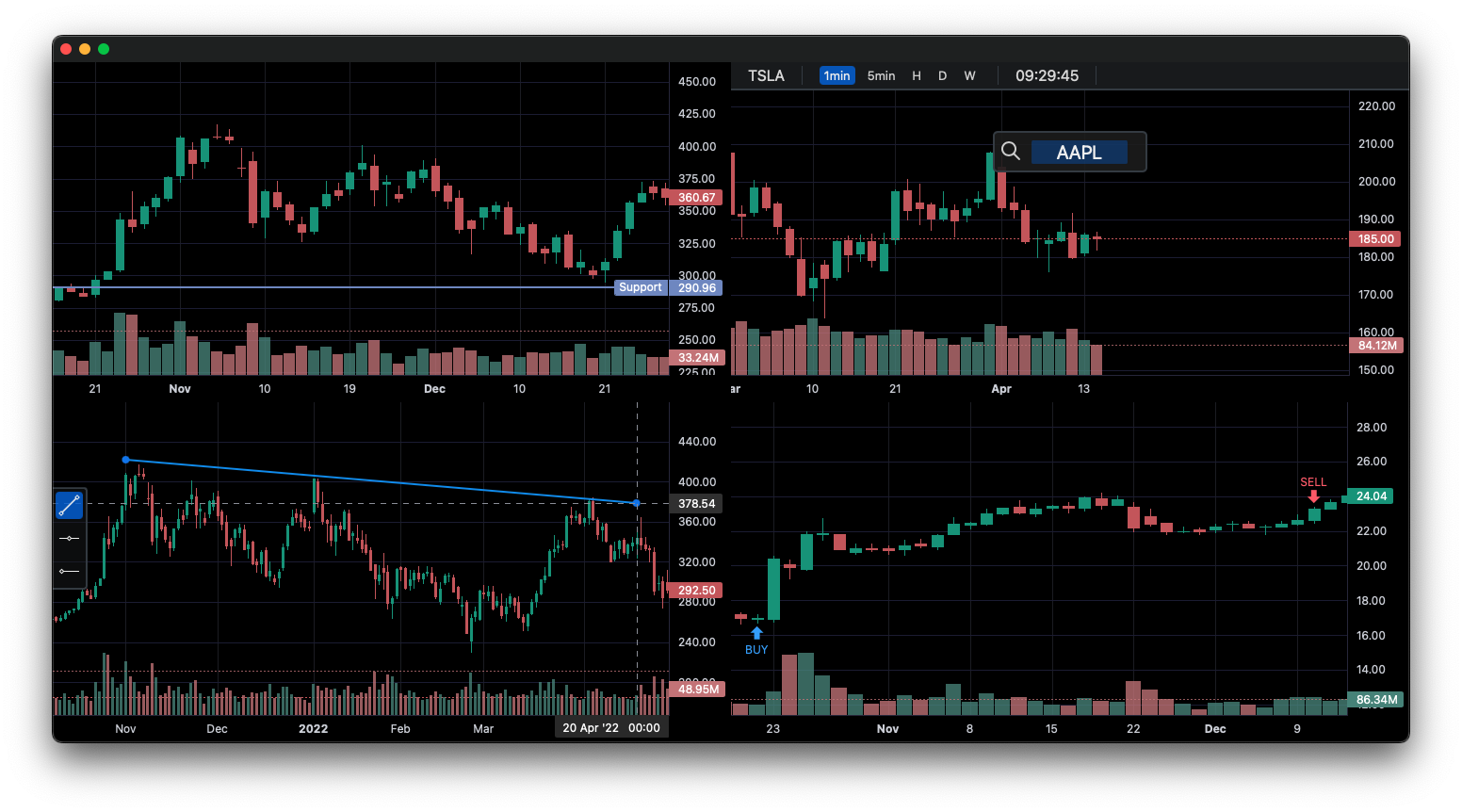
lightweight-charts-python aims to provide a simple and pythonic way to access and implement TradingView's Lightweight Charts.
Installation
pip install lightweight-charts
- White screen? Having issues with pywebview? Click here.
Features
- Simple and easy to use.
- Blocking or non-blocking GUI.
- Streamlined for live data, with methods for updating directly from tick data.
- Supports:
- PyQt ->
QtChart - wxPython ->
WxChart - Streamlit ->
StreamlitChart - asyncio ->
show_async() - Jupyter Notebooks ->
JupyterChart
- PyQt ->
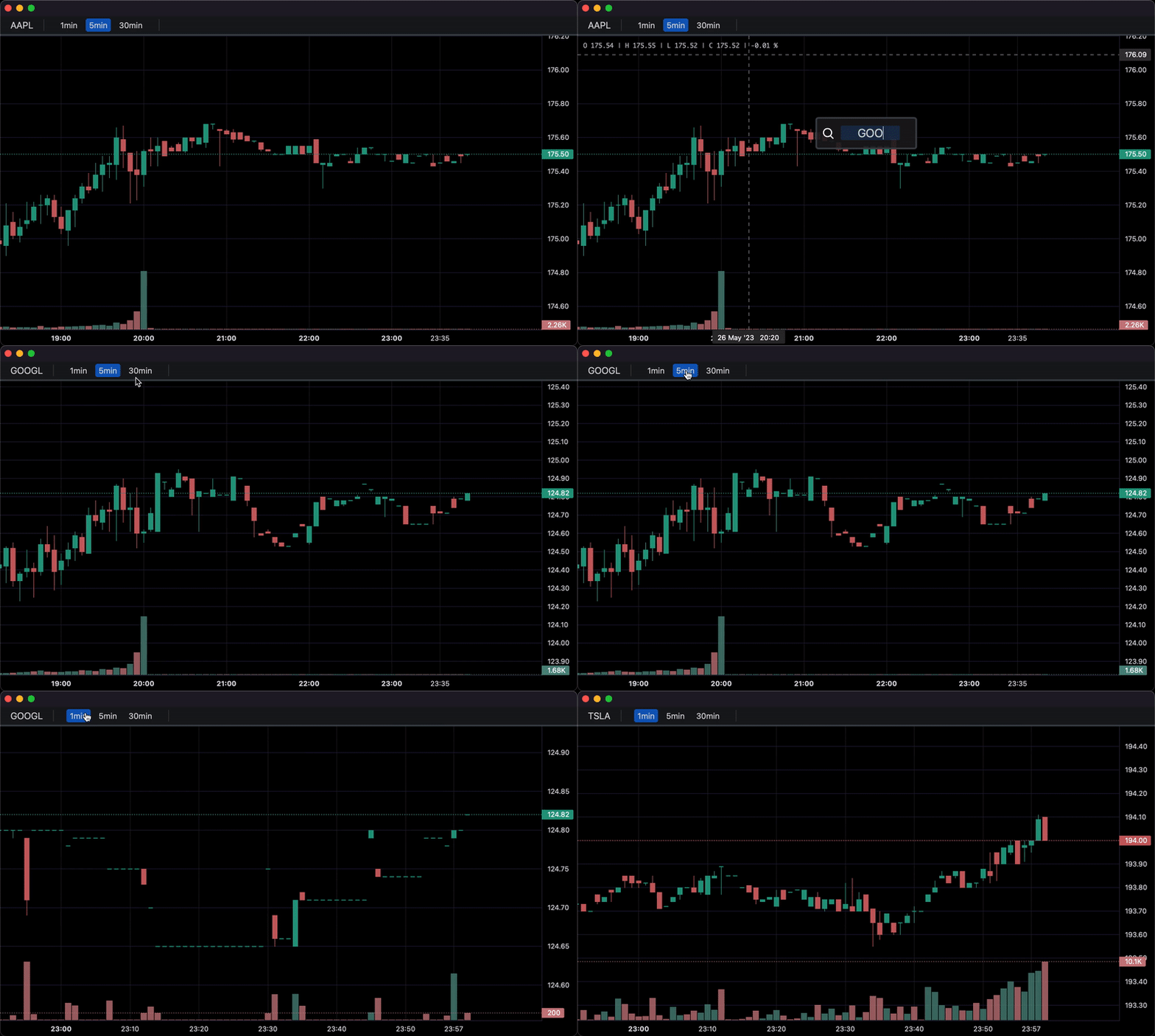
- Callbacks allowing for timeframe (1min, 5min, 30min etc.) selectors, searching, and more.
- Multi-Pane Charts using the
SubChart.
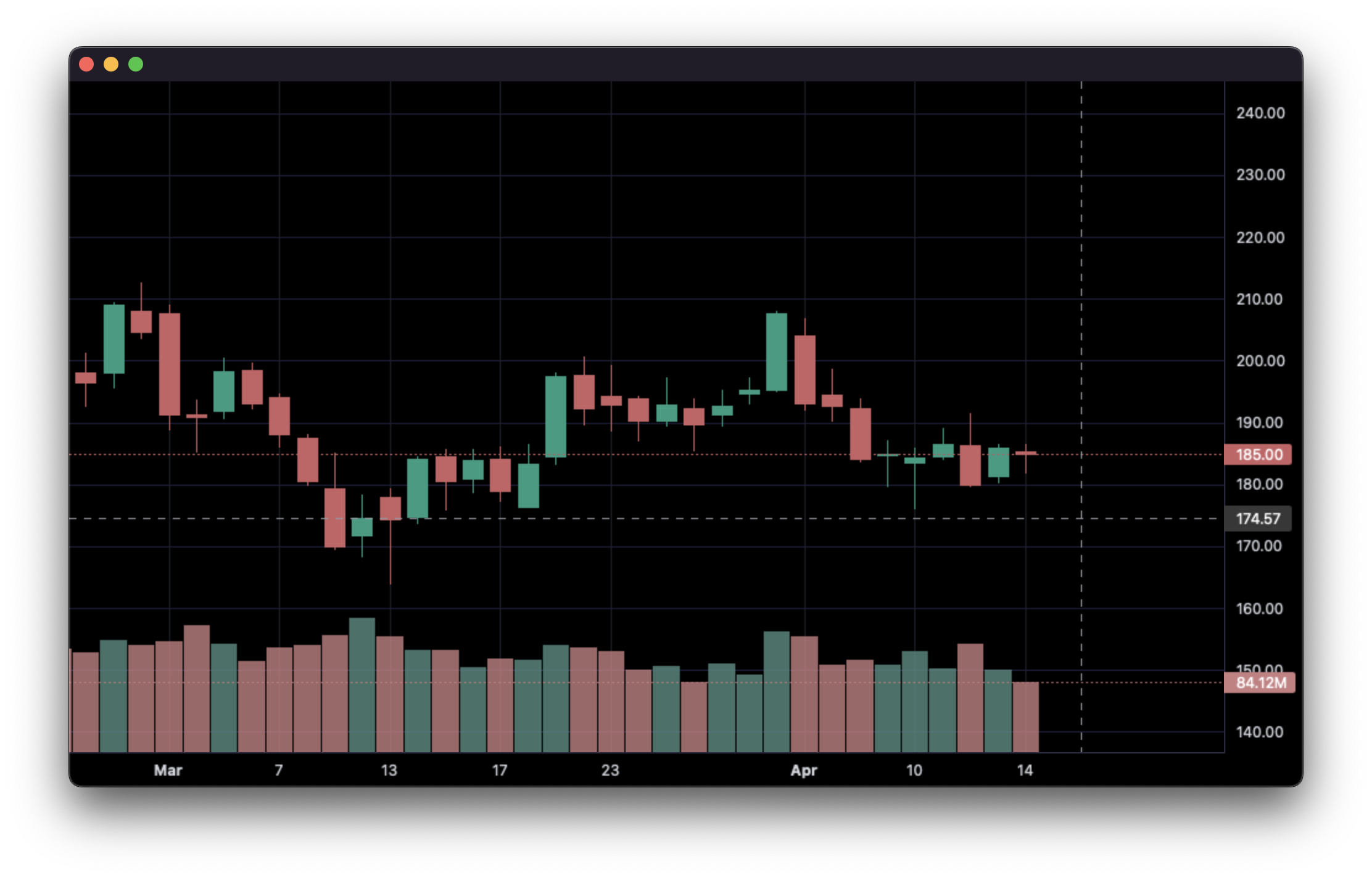
1. Display data from a csv:
import pandas as pd
from lightweight_charts import Chart


if __name__ == '__main__':

    chart = Chart()

    # Columns: | time | open | high | low | close | volume (if volume is enabled) |
    df = pd.read_csv('ohlcv.csv')
    chart.set(df)

    chart.show(block=True)
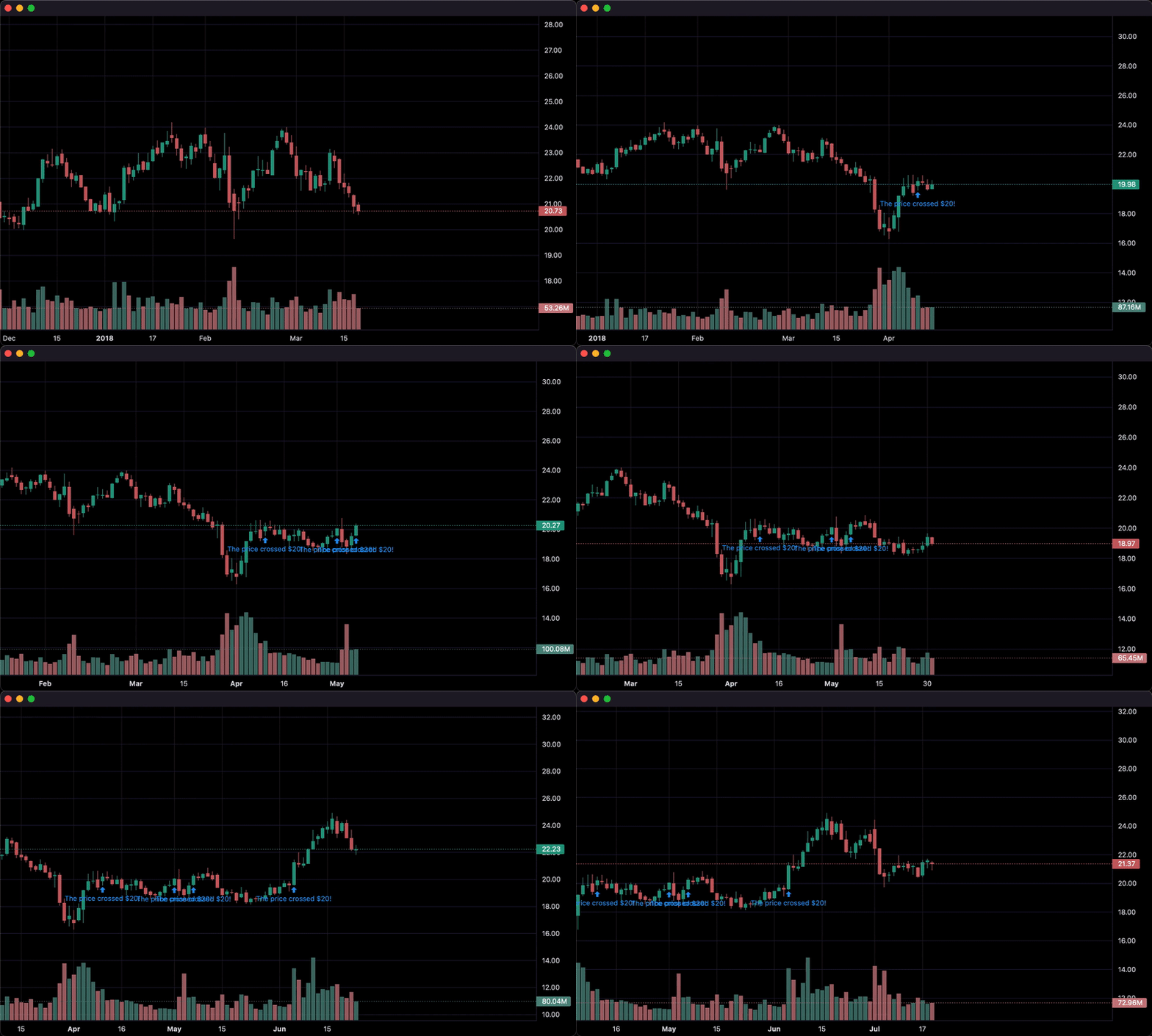
2. Updating bars in real-time:
import pandas as pd
from time import sleep
from lightweight_charts import Chart

if __name__ == '__main__':

    chart = Chart()

    df1 = pd.read_csv('ohlcv.csv')
    df2 = pd.read_csv('next_ohlcv.csv')

    chart.set(df1)

    chart.show()

    last_close = df1.iloc[-1]

    for i, series in df2.iterrows():
        chart.update(series)

        if series['close'] > 20 and last_close < 20:
            chart.marker(text='The price crossed $20!')

        last_close = series['close']
        sleep(0.1)
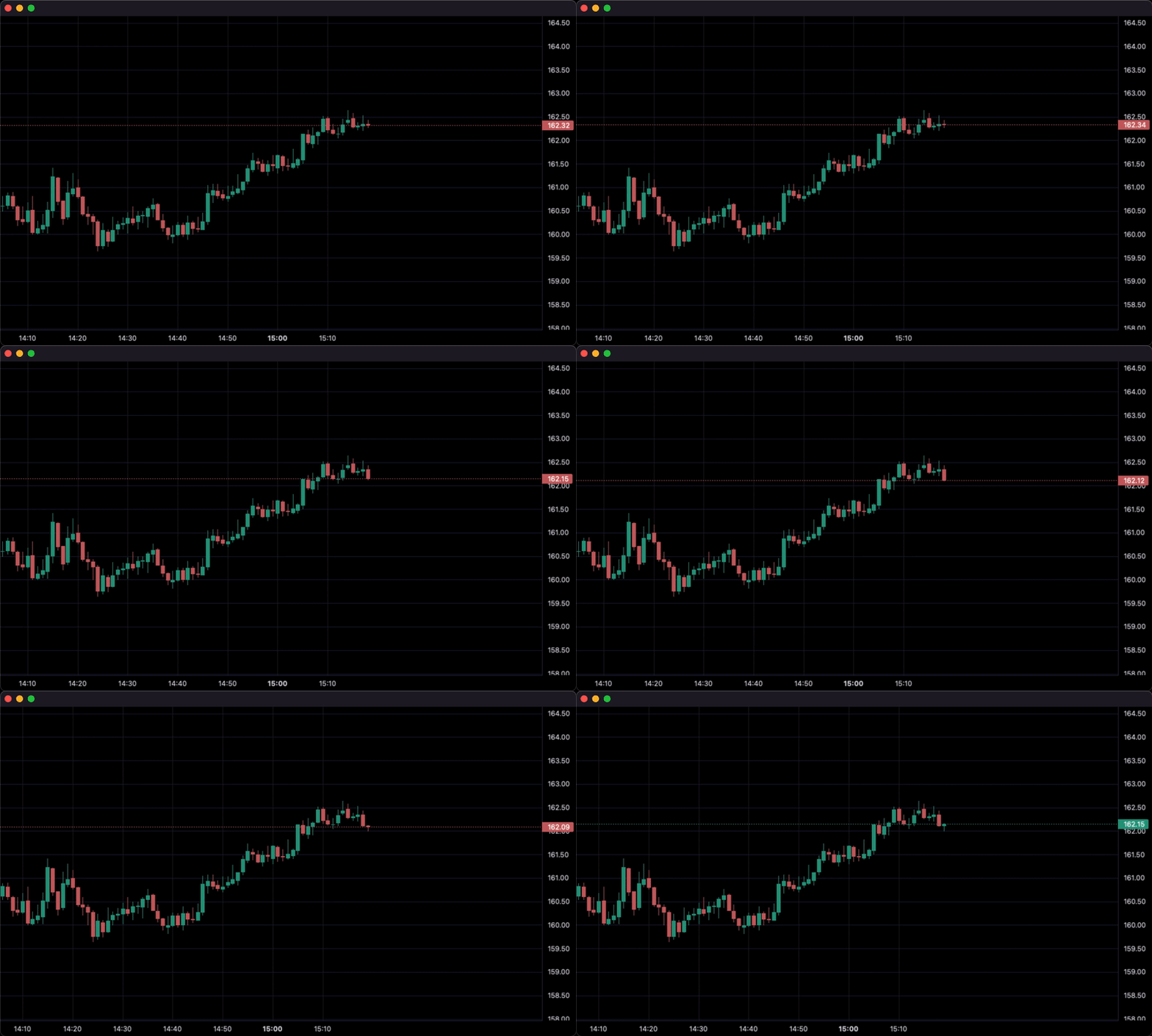
3. Updating bars from tick data in real-time:
import pandas as pd
from time import sleep
from lightweight_charts import Chart


if __name__ == '__main__':

    df1 = pd.read_csv('ohlc.csv')

    # Columns: | time | price | volume (if volume is enabled) |
    df2 = pd.read_csv('ticks.csv')

    chart = Chart(volume_enabled=False)

    chart.set(df1)

    chart.show()

    for i, tick in df2.iterrows():
        chart.update_from_tick(tick)

        sleep(0.3)
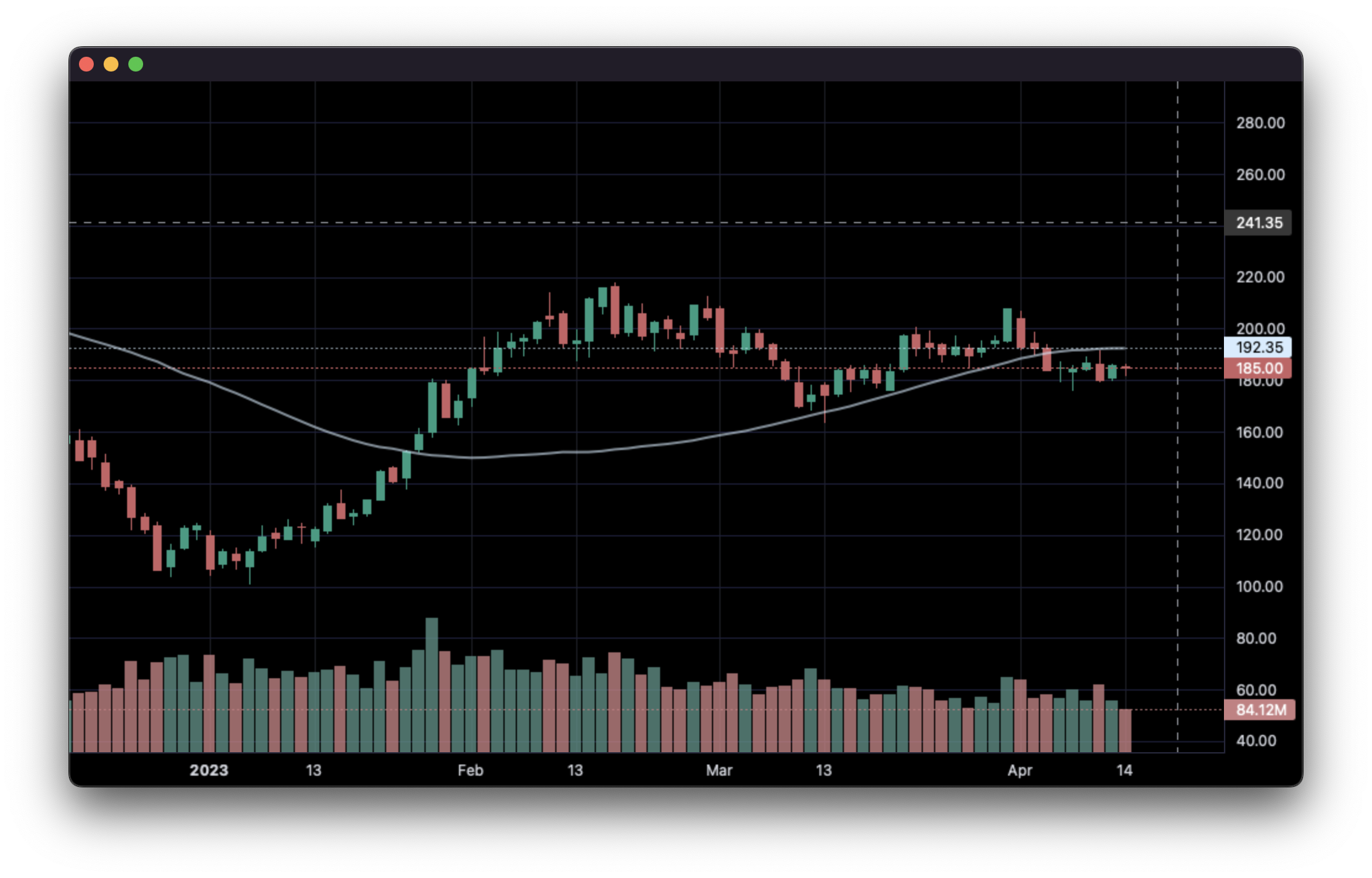
4. Line Indicators:
import pandas as pd
from lightweight_charts import Chart


def calculate_sma(data: pd.DataFrame, period: int = 50):
   def avg(d: pd.DataFrame):
      return d['close'].mean()

   result = []
   for i in range(period - 1, len(data)):
      val = avg(data.iloc[i - period + 1:i])
      result.append({'time': data.iloc[i]['date'], 'value': val})
   return pd.DataFrame(result)


if __name__ == '__main__':
   chart = Chart()

   df = pd.read_csv('ohlcv.csv')
   chart.set(df)

   line = chart.create_line()
   sma_data = calculate_sma(df)
   line._set(sma_data)

   chart.show(block=True)
5. Styling:
import pandas as pd
from lightweight_charts import Chart


if __name__ == '__main__':

    chart = Chart(debug=True)

    df = pd.read_csv('ohlcv.csv')

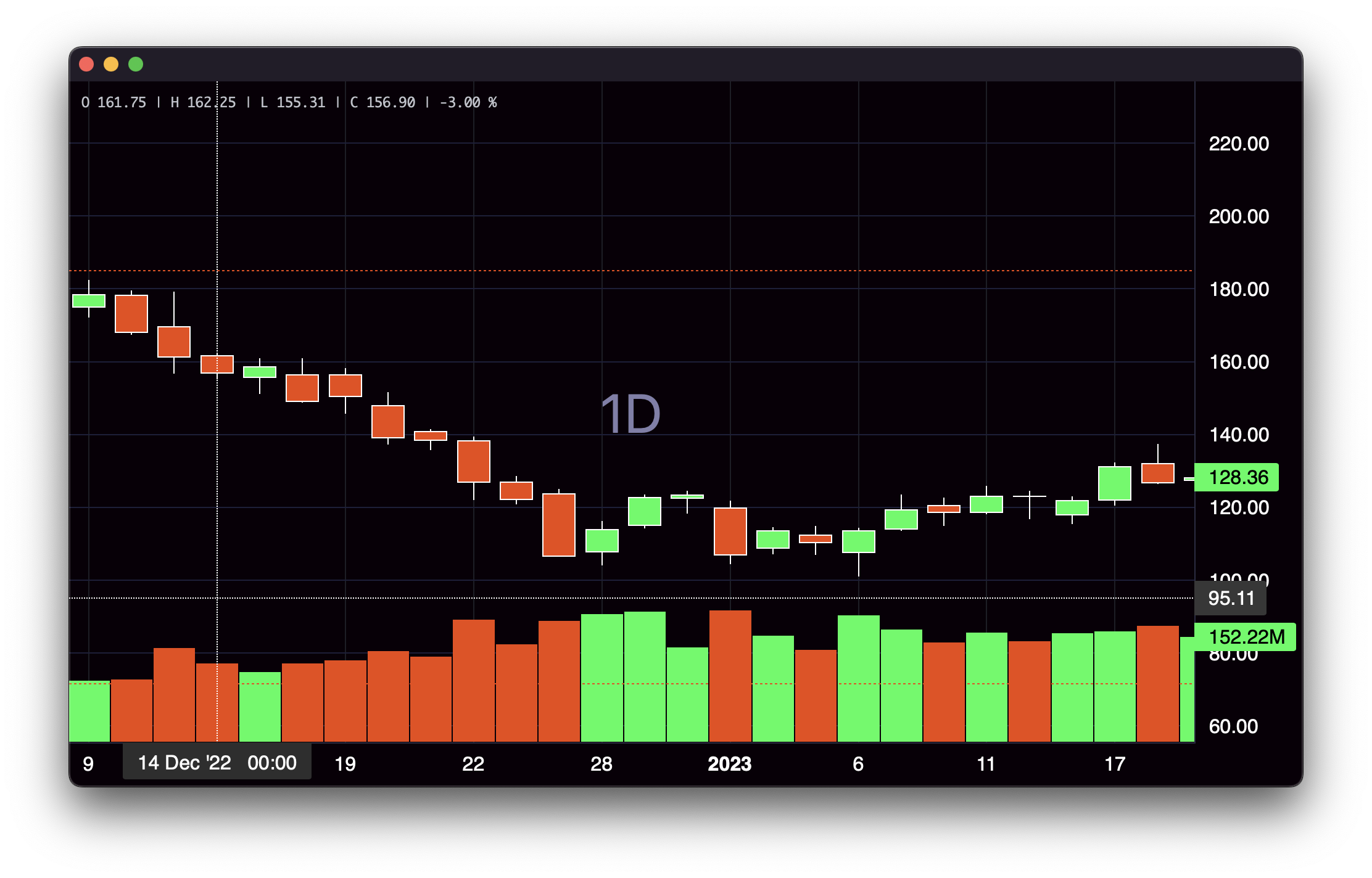
    chart.layout(background_color='#090008', text_color='#FFFFFF', font_size=16,
                 font_family='Helvetica')

    chart.candle_style(up_color='#00ff55', down_color='#ed4807',
                       border_up_color='#FFFFFF', border_down_color='#FFFFFF',
                       wick_up_color='#FFFFFF', wick_down_color='#FFFFFF')

    chart.volume_config(up_color='#00ff55', down_color='#ed4807')

    chart.watermark('1D', color='rgba(180, 180, 240, 0.7)')

    chart.crosshair(mode='normal', vert_color='#FFFFFF', vert_style='dotted',
                    horz_color='#FFFFFF', horz_style='dotted')

    chart.legend(visible=True, font_size=14)

    chart.set(df)

    chart.show(block=True)
6. Callbacks:
import asyncio
import pandas as pd

from lightweight_charts import Chart


def get_bar_data(symbol, timeframe):
    if symbol not in ('AAPL', 'GOOGL', 'TSLA'):
        print(f'No data for "{symbol}"')
        return pd.DataFrame()
    return pd.read_csv(f'bar_data/{symbol}_{timeframe}.csv')


class API:
    def __init__(self):
        self.chart = None  # Changes after each callback.

    async def on_search(self, searched_string):  # Called when the user searches.
        new_data = get_bar_data(searched_string, self.chart.topbar['timeframe'].value)
        if new_data.empty:
            return
        self.chart.topbar['corner'].set(searched_string)
        self.chart.set(new_data)

    async def on_timeframe_selection(self):  # Called when the user changes the timeframe.
        new_data = get_bar_data(self.chart.topbar['corner'].value, self.chart.topbar['timeframe'].value)
        if new_data.empty:
            return
        self.chart.set(new_data)


async def main():
    api = API()

    chart = Chart(api=api, topbar=True, searchbox=True)
    chart.legend(True)

    chart.topbar.textbox('corner', 'TSLA')
    chart.topbar.switcher('timeframe', api.on_timeframe_selection, '1min', '5min', '30min', default='5min')

    df = get_bar_data('TSLA', '5min')
    chart.set(df)

    await chart.show_async(block=True)


if __name__ == '__main__':
    asyncio.run(main())
This package is an independent creation and has not been endorsed, sponsored, or approved by TradingView. The author of this package does not have any official relationship with TradingView, and the package does not represent the views or opinions of TradingView.